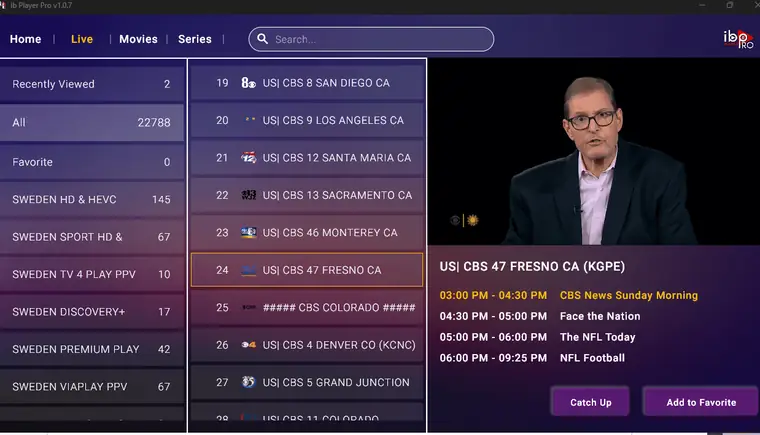
IPTV SETUP GUIDE
FireStick guide: set up IBO Player Pro for 4K IPTV fast
Allow “Apps from unknown sources” in the settings so you can install the app
Step 1: Go to the home screen and click Search.

Step 2: Click Search to continue

Step 3: Look for the Downloader app. We need it for the setup

Step 4: After the installation, go back to the home screen and choose Settings.

Step 5: In the settings, click My Fire TV.

Step 6: Then open the Developer options.
If the Developer options are not visible, go to Settings, My Fire TV and About. Click your Fire TV Stick seven times to reveal the menu

Step 7: In the next window, click Install unknown apps.
- Note: On older devices, choose Apps from unknown sources instead.

Step 8: Turn on the Downloader app. Now your device is ready for the

IBO Player. Open the Downloader app. Close all welcome windows on the first start. On the main screen, click in the text field marked in the picture below.
Step 9: Use the on-screen keyboard to enter this URL:
- https://shorturl.at/hsMW1 (code: 834339). Then click OK.
Step 10: Wait until the IBO Player app has been downloaded.
The Downloader app starts the installation automatically. Follow the instructions on the screen.
Start the IBO Player app:
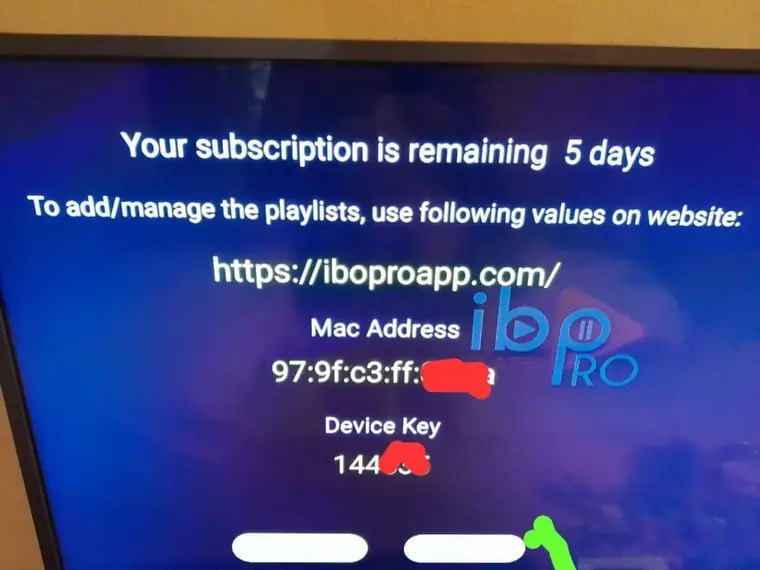
1- Step 1. You now see your MAC address and the Device Key. Confirm with Continue
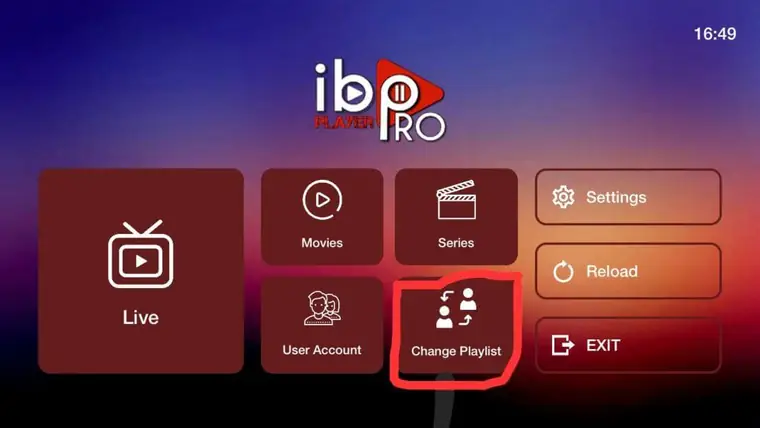
2: You now see the main screen. Choose Change playlist.
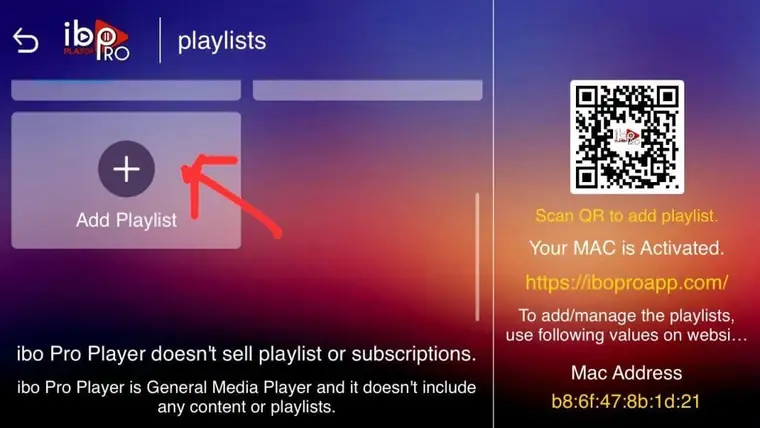
3: Contact us for your login details. Then click Add Playlist to add your list.
Note: You can add your list in two ways.
Step 1: Paste the M3U link we send you.
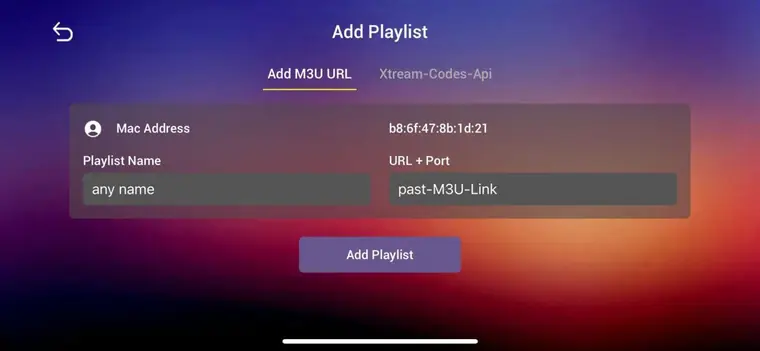
Step 2: Choose the Xtream Codes API we send you

Step 3: Choose Add Playlist. Now everything is ready. Enjoy your channels
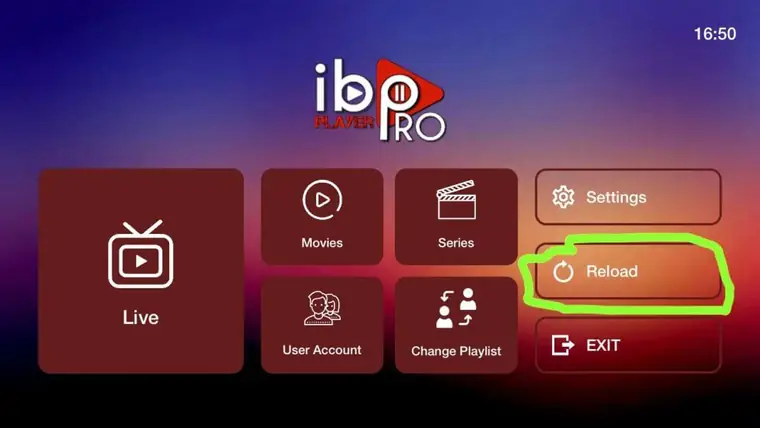
For Android phones, TVs and boxes with 4K IPTV.
- Open the Google Play Store and install IBO Pro Player. Write to us afterwards for your access
For all iOS devices: iPhones, Macs and Apple TVs with 4K IPTV.
- Search for IBO Pro Player in the App Store and download the app. Write to us after the installation for your access.
For LG TVs:
- Go to LG Apps and install IBO Pro Player
Write to us afterwards for your access.
For Samsung TVs
- Install IBO Player Pro from Samsung Apps.
Write to us afterwards for your access.
Set up IPTV on IBO Player Pro
Step 1: Go to this page: https://iboplayer.com/downloads.
Step 2: Install IBO Player Pro.
Step 3: Open the IBO Player Pro app.
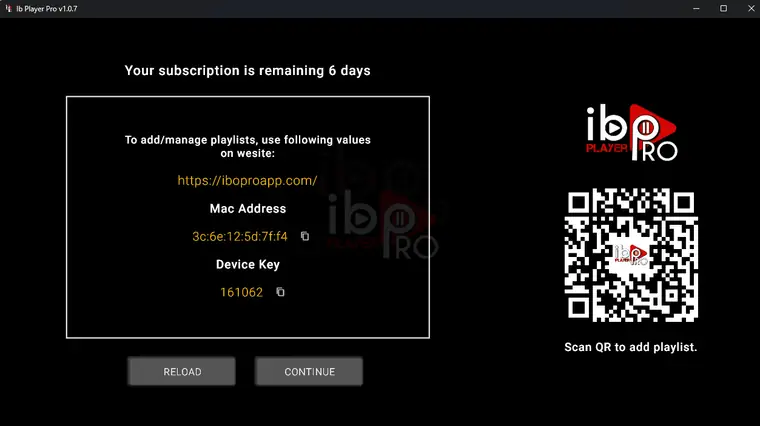
Step 4: Send us the MAC address and the Device Key. Wait for the confirmation. Restart the app. Your list is now there.
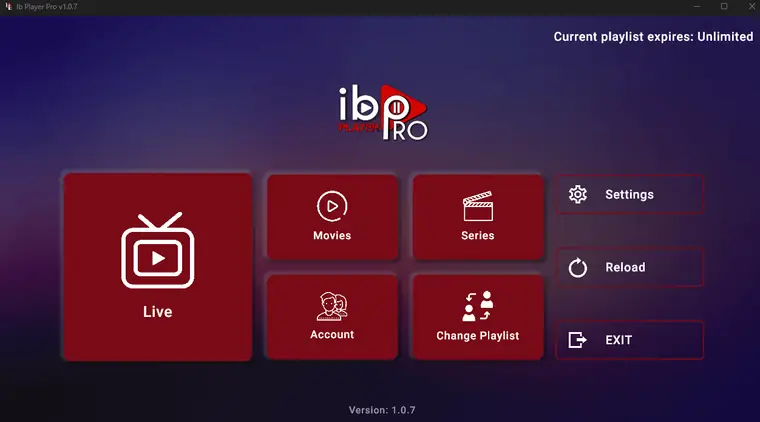
Go to the home page. Click Change playlist. This is how you switch your list.
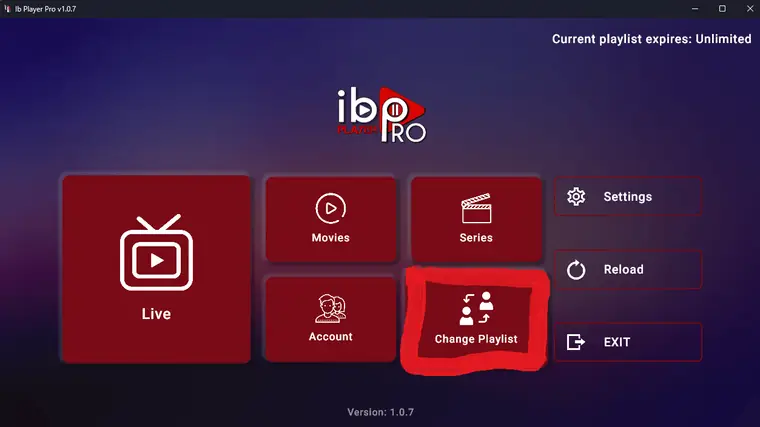
7. Click Add playlist
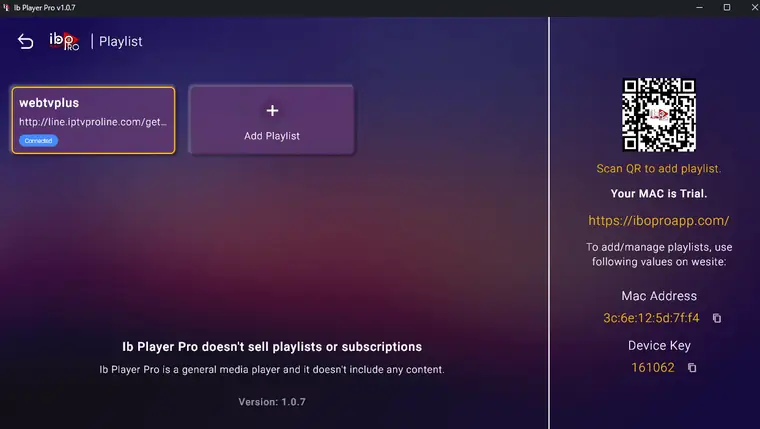
Note: You can add your list in two ways.
Step 1: Paste the M3U link we send you.
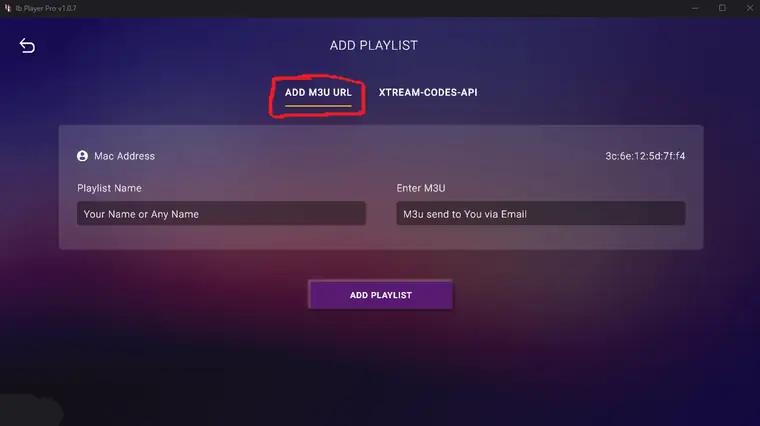
Step 2: Choose the Xtream Codes API we send you

Step 3: Choose Add Playlist. Now everything is ready. Enjoy your channels